Curriculum
- 5 Sections
- 29 Lessons
- 10 Weeks
Expand all sectionsCollapse all sections
- INTRODUCTION TO WORDPRESS AND THE WEB9
- SECTION 2: INSTALLING AND SETTING UP WORDPRESS9
- 2.1Lesson 1: WordPress Requirements
- 2.2Lesson 2: Installing WordPress
- 2.3Quick Quiz 30 Questions
- 2.4Lesson 3: Understanding the WordPress Dashboard
- 2.5Lesson 4: WordPress General Settings
- 2.6Quick Questionnaire 20 Questions
- 2.7Lesson 5: WordPress Users and Roles
- 2.8Lesson 6: WordPress Permalinks
- 2.9Section 2 Assessment3 Days
- SECTION 3: CREATING AND MANAGING WEBSITE CONTENTLearn how to create pages, blog posts, menus, and media while organizing your website content effectively8
- 3.1Lesson 1: Understanding Pages and Posts
- 3.2Lesson 2: Creating Your First Page
- 3.3Quick Quiz 40 Questions
- 3.4Lesson 3: Creating Blog Posts
- 3.5Lesson 4: Categories and Tags
- 3.6Quick Questionnaire 30 Questions
- 3.7Lesson 5: Working With the Media Library
- 3.8Lesson 6: Links, Headings and Basic Content Formatting
- SECTION 4: THEMES AND WEBSITE DESIGNLearn how to choose, install, and customize WordPress themes to create an attractive and responsive website.9
- 4.1Lesson 1: What Are WordPress Themes?
- 4.2Quick Quiz0 Questions
- 4.3Lesson 2: Installing and Activating a Theme
- 4.4Quick Questionnaire0 Questions
- 4.5Lesson 3: Customizing a WordPress Website
- 4.6Quick Quiz0 Questions
- 4.7Lesson 4: Creating Navigation Menus
- 4.8Lesson 5: Headers, Footers and Widgets/Blocks
- 4.9Lesson 6: Responsive Web Design
- SECTION 5: PLUGINS AND WEBSITE FUNCTIONALITYDiscover how plugins add powerful features to your website, including contact forms, SEO, performance, and backups.7
FAQs
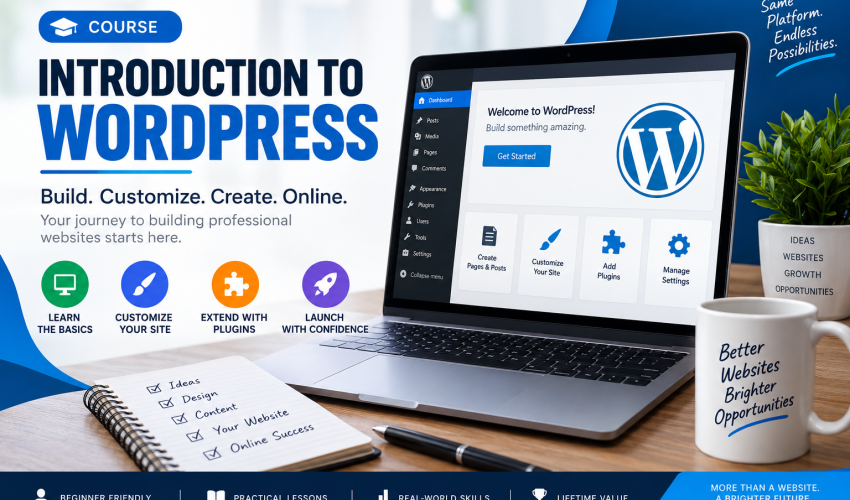
This course is designed for complete beginners who want to learn how to create and manage a WordPress website.
No. The course starts from the basics and gradually takes you through the essential WordPress features.
No. You do not need programming or coding knowledge to take this course.
You will learn how to set up WordPress, create pages and posts, customize themes, install plugins, manage content, improve security, and launch a basic website.
Yes. The course includes practical activities and a final project where you will create a complete WordPress website.
Instructor

1025 Students21 Courses
Reviews
You might be interested in